Manage Applications
Manage Applications allows the publisher user to activate and deactivate applications applicable to the appropriate developer organization.
Activate an Application
- Navigate to the Access Control module's Manage Applications sub-module.
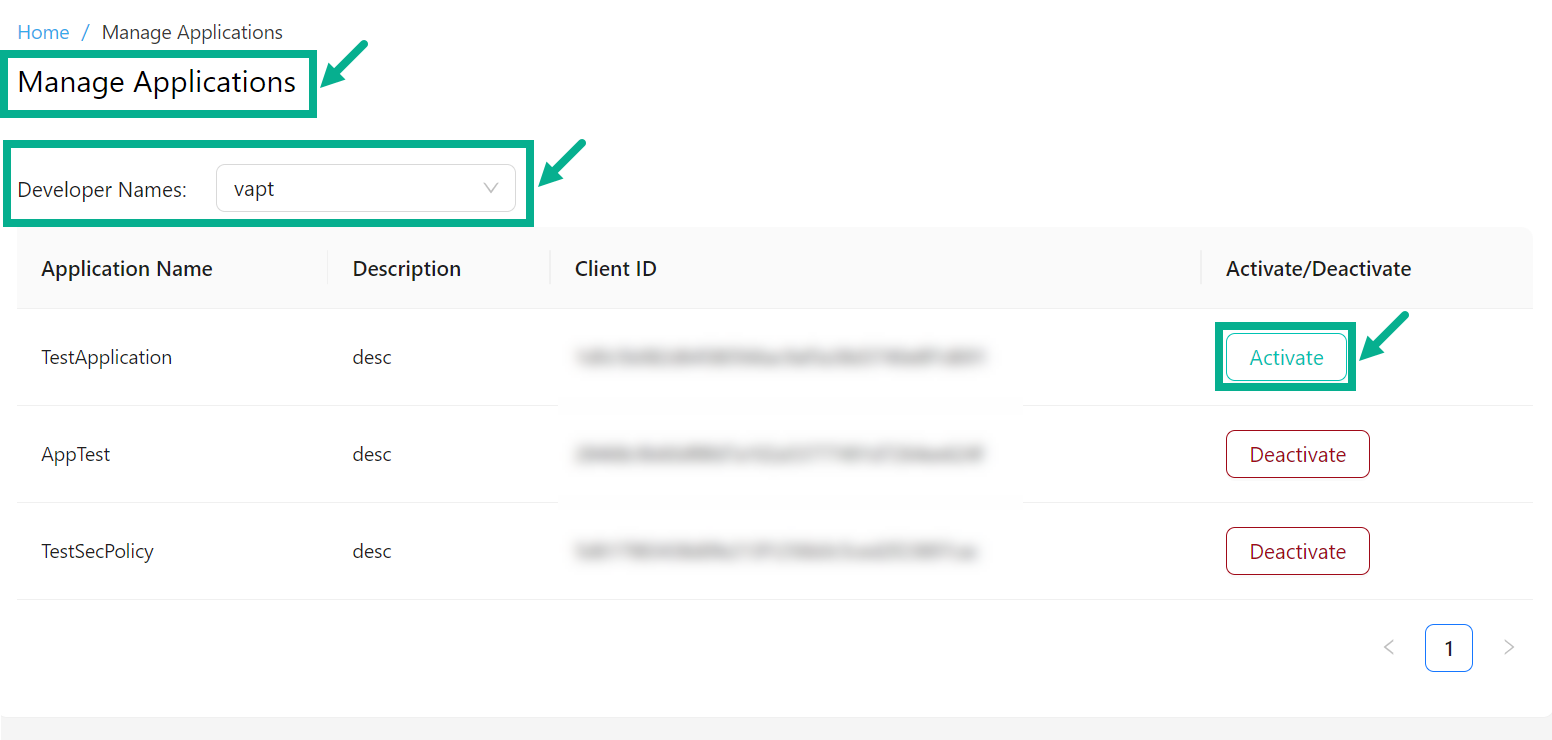
- Select the Developer Organization from the drop down.
info
The list displays the applications applicable for the chosen Developer Organization.
- Click Activate.
The pop-up appears as shown below.
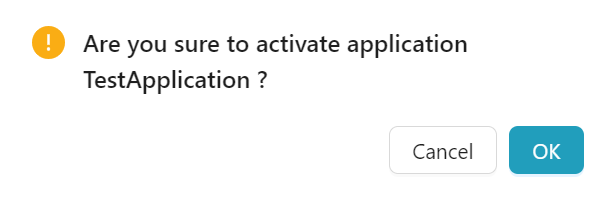
- Click OK.
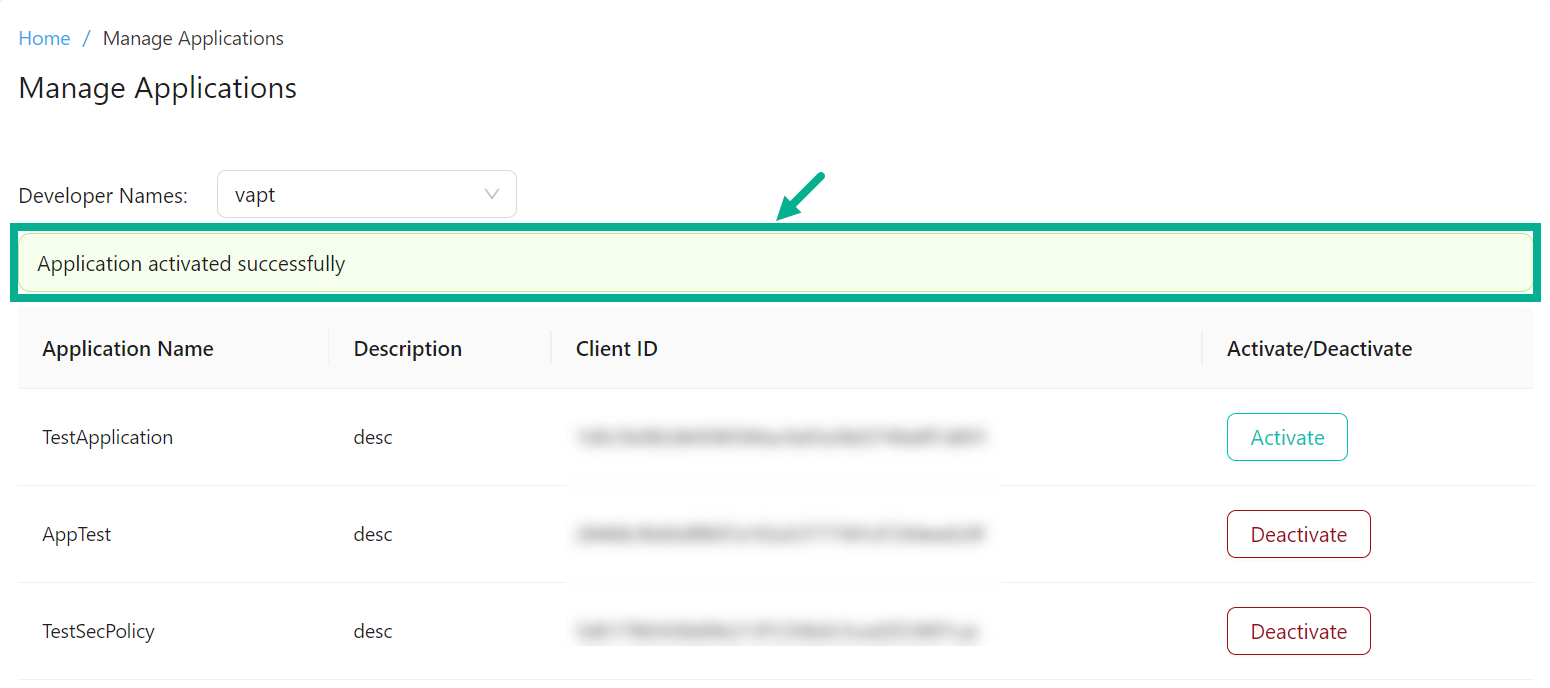
On proceeding, the confirmation message appears as shown below.
Deactivate an Application
info
When you deactivate an application, the access tokens generated by this application will be revoked.
- Navigate to the Access Control module's Manage Applications sub-module.
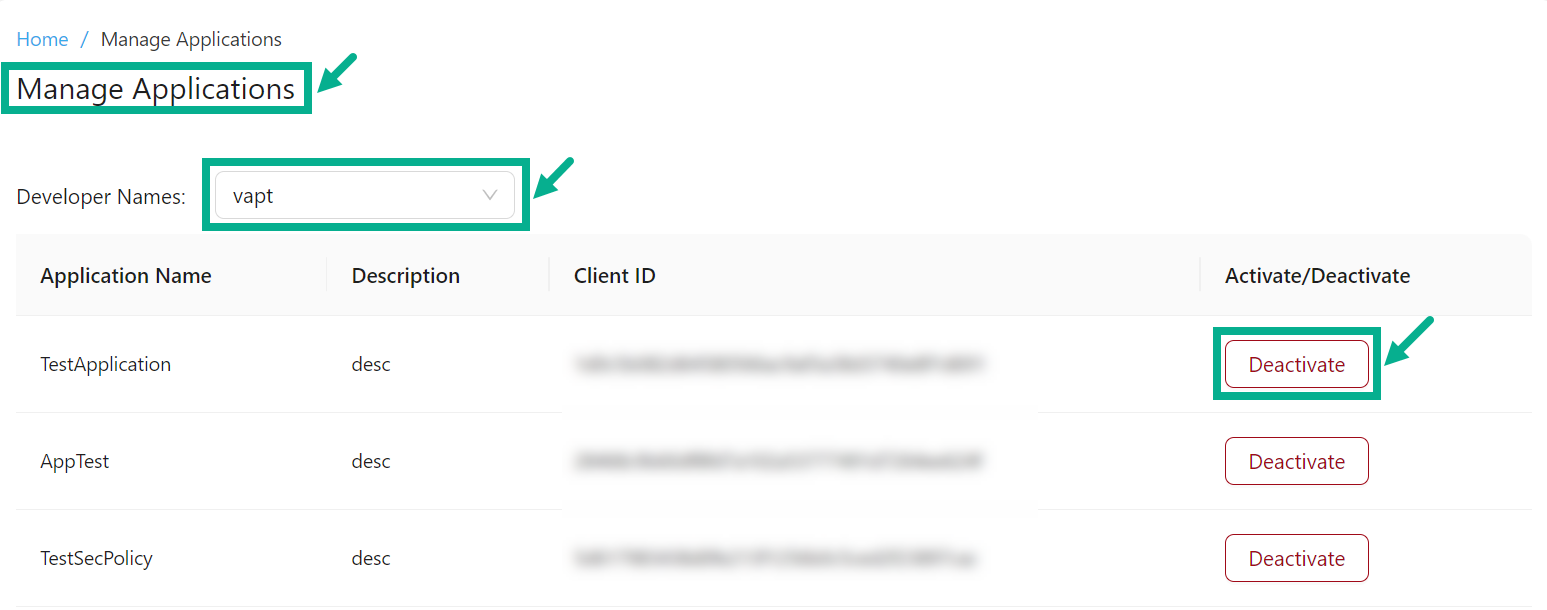
- Select the Developer Organization from the drop down.
info
The list displays the applications applicable for the chosen Developer Organization.
- Click Deactivate.
The pop-up appears as shown below.
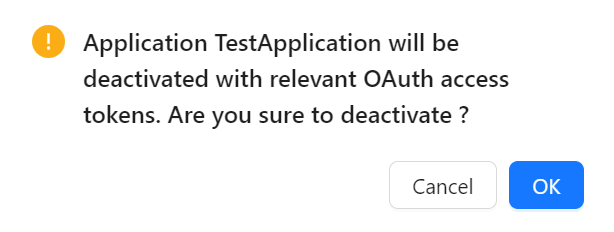
- Click OK.
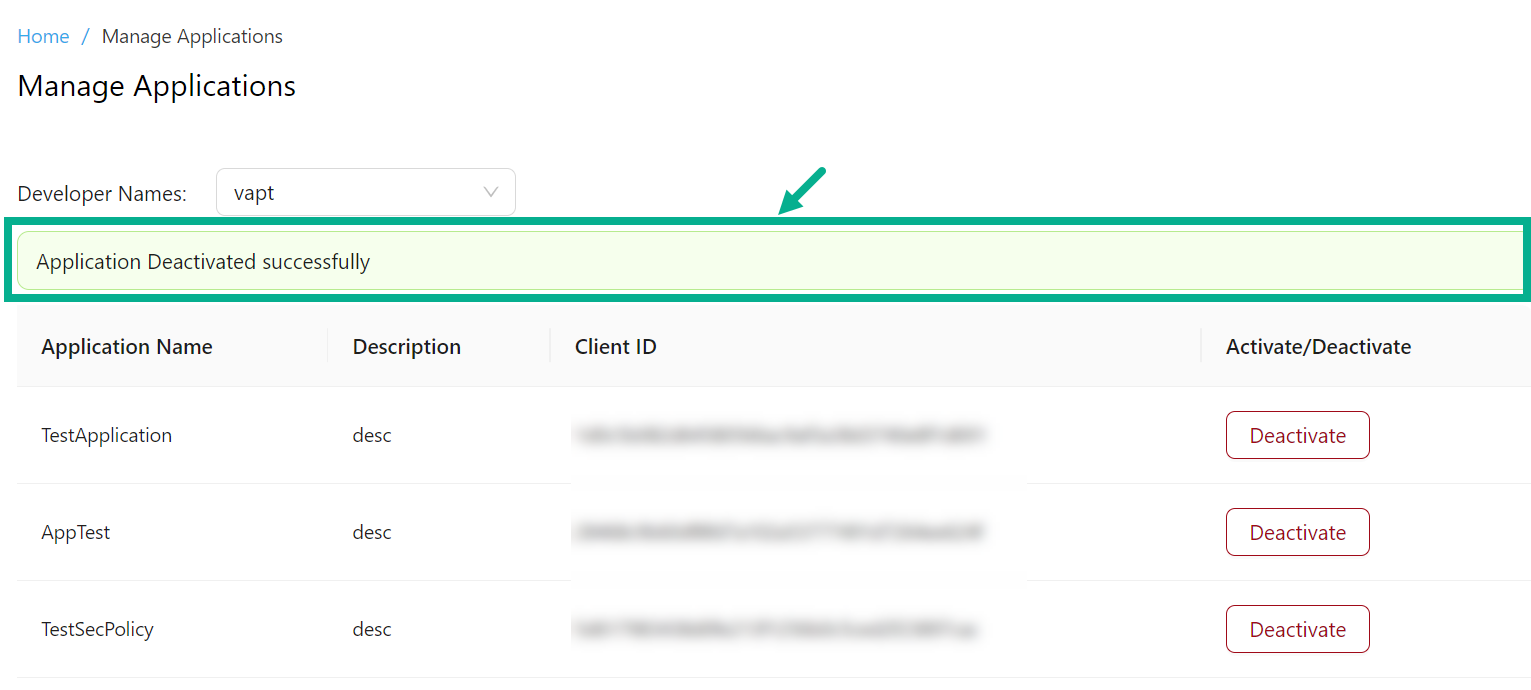
On proceeding, the confirmation message appears as shown below.